
320-x100(1).gif)
JNTUK OD Apply Online 2025: JNTU Kakinada Original Degree (OD) Apply Online, Application Form 2025. How to apply for a OD pre convocation, jntuk od status, jntu kakinada OD online apply procedure & guidelines.
JNTUK OD Apply Online 2025 – Original Degree Application Form, Procedure
The Candidate those who are applying for the OD certificate are requested to upload Educational Details (like PC, CMM, SSC, PHOTO) and Personal details in online-application. Once OD is printed, your details are removed from the database. you can check the status of the OD from the printed OD info tab. you can check the status of the OD from the printed OD info tab.
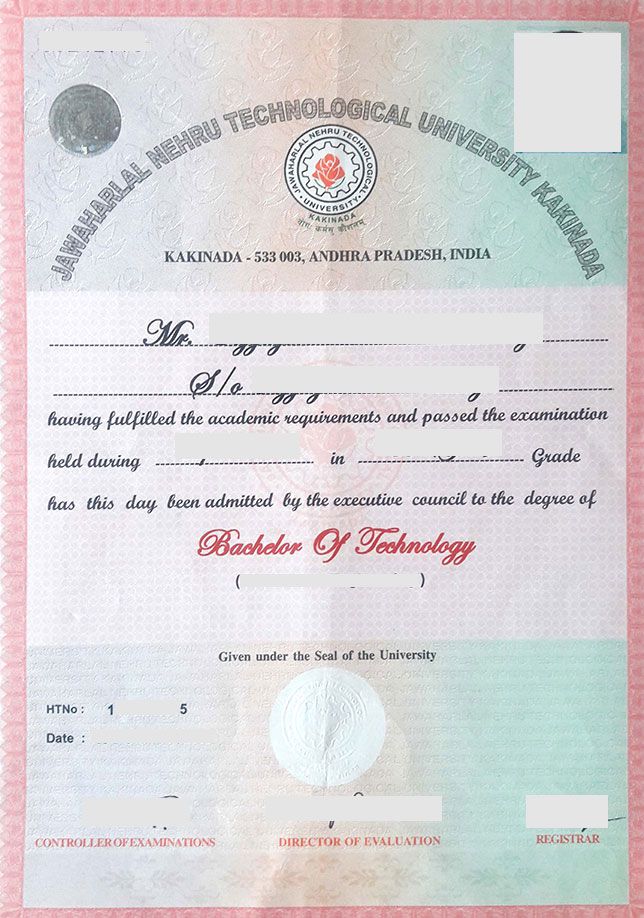
JNTUK XII Convocation 2025 – Important Dates:
| XII Convocation Notification Release Date | 06-10-2025 |
| Online Applications Starting From | 06-10-2025 |
| Last Date for Submission | 15-11-2025 |
Plz read the Step by Step Instructions Carefully and then Apply Original Degree Certificate
Also Check : JNTUK Procedure For Applying Provisional Certificate (PC) & CMM
JNTUK Original Degree (OD) Apply Procedure
Step-1:- Registration
Click here for Apply Online OD
- Click on the “Register” button at TOP menu.
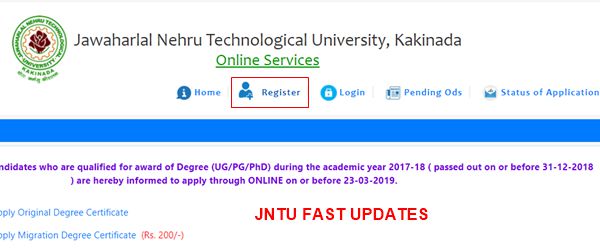
Step-2:- Please Enter Present Working Email-Id, Hallticket no, password.
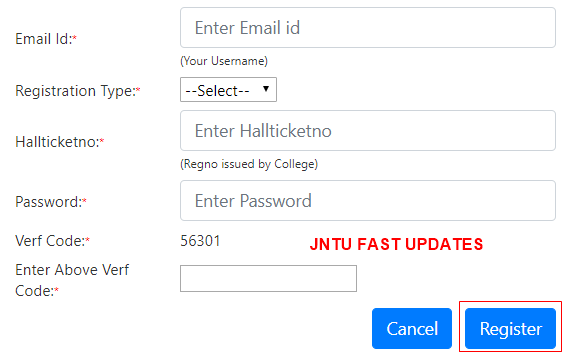
Step-3:- Check Eligibility & Fees of Application
Note: If you are Eligible for Applying Original Degree it shows ” You are eligibile for applying Original Degree Certificate with fee of *** only.
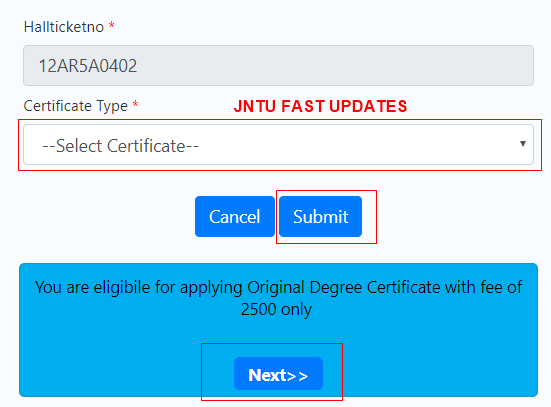
Step By Step Procedure to apply Original Degree Certficate please follow the guidelines
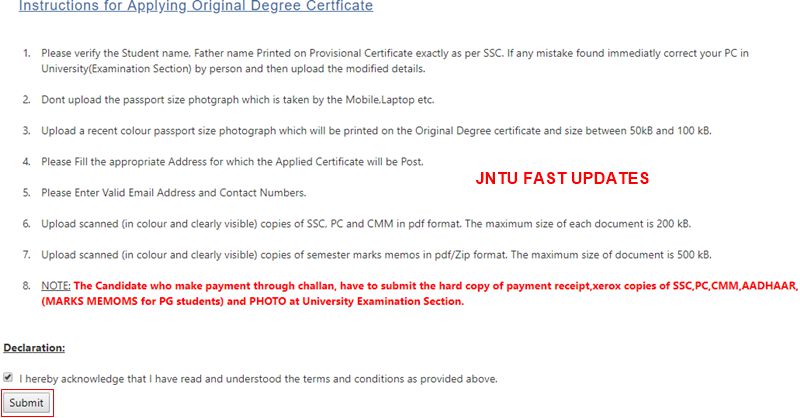
Instructions for Applying Original Degree Certficate
- Please verify the Student name, Father name Printed on Provisional Certificate exactly as per SSC. If any mistake found immediatly correct your PC in University(Examination Section) by person and then upload the modified details.
- Dont upload the passport size photgraph which is taken by the Mobile, Laptop etc.
- Upload a recent colour passport size photograph which will be printed on the Original Degree certificate and size between 50kB and 100 kB.
- Please Fill the appropriate Address for which the Applied Certificate will be Post.
- Please Enter Valid Email Address and Contact Numbers.
- Upload scanned (in colour and clearly visible) copies of SSC, PC and CMM in pdf format. The maximum size of each document is 200 kB.
- Upload scanned (in colour and clearly visible) copies of semester marks memos in pdf/Zip format. The maximum size of document is 500 kB.
- NOTE: The Candidate who make payment through challan, have to submit the hard copy of payment receipt,xerox copies of SSC, PC, CMM, AADHAAR, (MARKS MEMOMS for PG students) and PHOTO at University Examination Section.
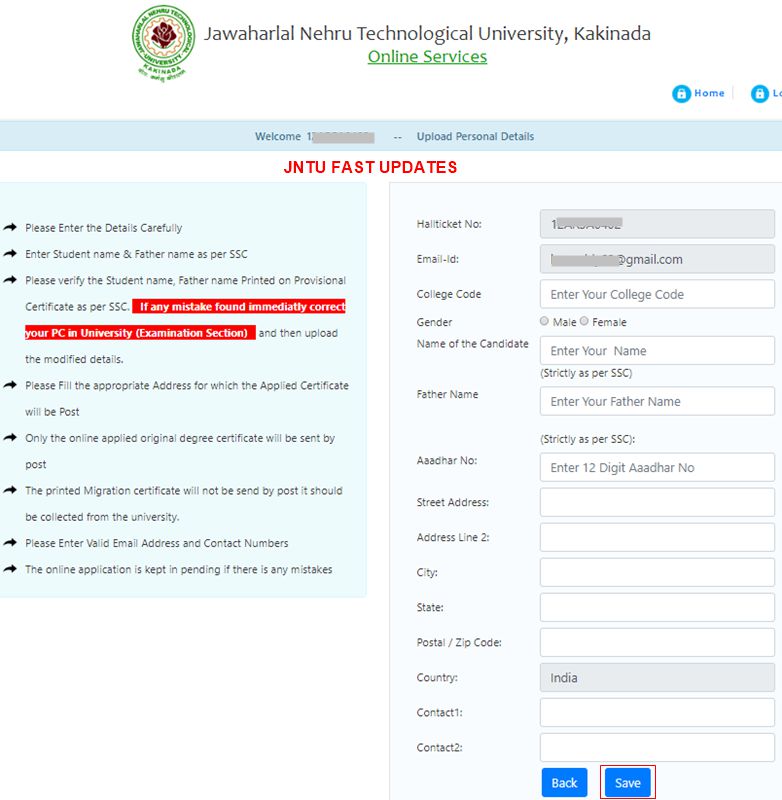
- Please Enter the Details Carefully
- Enter Student name & Father name as per SSC
- Please verify the Student name, Father name Printed on Provisional Certificate as per SSC. If any mistake found immediatly correct your PC in University (Examination Section) and then upload the modified details.
- Please Fill the appropriate Address for which the Applied Certificate will be Post
- Only the online applied original degree certificate will be sent by post
- The printed Migration certificate will not be send by post it should be collected from the university.
- Please Enter Valid Email Address and Contact Numbers
- The online application is kept in pending if there is any mistakes
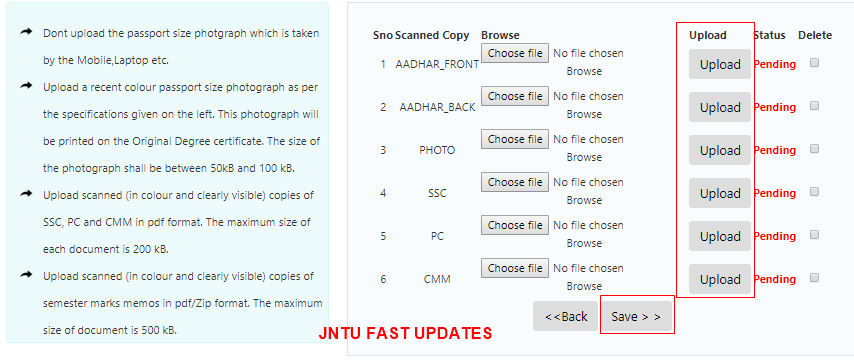
Note:
- Only Original Degree Certificate will be send by post
- Except Original Degree Certificate will not be send by post it should be collected from the university by applied student only.
- Dont upload the passport size photgraph which is taken by the Mobile, Laptop etc.
- Upload a recent colour passport size photograph as per the specifications given on the left. This photograph will be printed on the Original Degree certificate. The size of the photograph shall be between 50kB and 100 kB.
- Upload scanned (in colour and clearly visible) copies of SSC, PC and CMM in pdf format. The maximum size of each document is 200 kB.
- Upload scanned (in colour and clearly visible) copies of semester marks memos in pdf/Zip format. The maximum size of document is 500 kB.
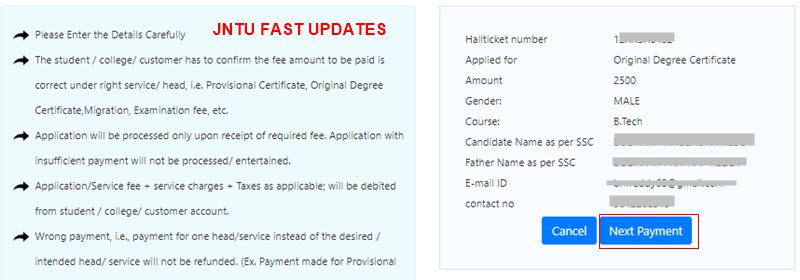
- Please Enter the Details Carefully
- The student / college/ customer has to confirm the fee amount to be paid is correct under right service/ head, i.e. Provisional Certificate, Original Degree Certificate,Migration, Examination fee, etc.
- Application will be processed only upon receipt of required fee. Application with insufficient payment will not be processed/ entertained.
- Application/Service fee + service charges + Taxes as applicable; will be debited from student / college/ customer account.
- Wrong payment, i.e., payment for one head/service instead of the desired / intended head/ service will not be refunded. (Ex. Payment made for Provisional Certificate actually intended to pay for Original Degree certificate will not be refunded.)
- Payment made for one service will not be considered / Adjusted for other services.
- Request for refund of excess payment shall be made within 7 working days. Excess payment will be refunded only upon submission of proof for genuine cause. However, the decision of the University is final for refund of excess payment. In case of refund, service charges + taxes as applicable will be debited from the student/ college/ customer account.
- For any technical queries, Contact No. 0884-2300911 may be contacted during working days.
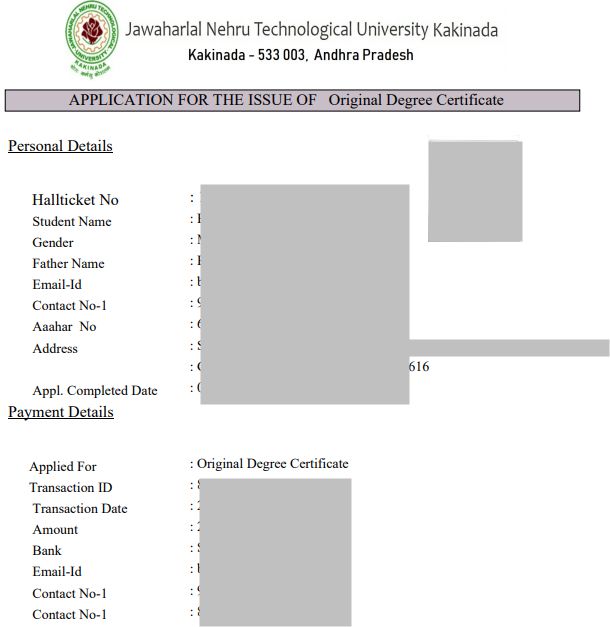
Personal Details :
- Hallticket No :
- Student Name :
- Gender :
- Father Name :
- Email-Id :
- Contact No-1 :
- Aaahar No :
- Address :
- Appl. Completed Date :
Payment Details
- Applied For : Original Degree Certificate
- Transaction ID :
- Transaction Date :
- Amount :
- Bank :
- Email-Id :
- Contact No-1 :
All documents uploading completed but preview is showing pls complete all steps..how can I proceed now???
Hi, I have uploaded the CMM twice instead of PC and clicked on save now, I'm not able to change it how can i change it now.
Take ending receipt and all certificates and go to Jntuk exam section before this month 25
i have logged in one person details and attached another person certificates in step 4 how can i resolve it please hep me any one
I forget the password
When I tap forget password
It shows no data found on this mail
I completed the registration but whenever I'm trying to login it is showing invalid credentials id and password all r correct please help me.
hi same problem did u get any solution for that
same problem did u get any solution
I have completed the registration whenever I’m trying to login I can’t invalid credentials was show. Email id and password both are correct but I can’t login please anyone help me.
I am uploaded my"passport size photo with the background of leaves"
Then my od is print or not?
Any ine knows please tell me
I have uploaded misplace of SSC certificate how to i can changed my certificate in original degree 7th convocation
Same problem…Did you find any solution??
VIEW DATE IS PENDING COMPLETE ALL THE PROCESS
SAME PROBLEM
ALL STEPS ARE COMPLETED BUT LAST STEP IS PENDING PLEASE TELL HOW MUCH TIME TAKEN TO COMPLETE THE PROCESS
SAME PROBLEM PLEASE TELL ME HOW MUCH TIME WILL BE TAKEN TO COMPLETE THE PROCESS
Same problem if u got any solution let me know
SAME PROBLEM. PLEASE HELP ME HOW TO RESOLVE THIS ISSUE.
Same problem Bro…where to upload marks memos.pdf there is no place to upload marks memos.in document section..only Aadhar photo ssc pc cmm are to upload ..
I too got the same problem and i mailed to jntuk they said if u done PG u need to updload all memos….. if u are a UG graduate Bno need of uploading marks memos
bro currently i'm pursuing my MBA from mumbai. Sholud i need to upload marks memos?
Same Problem. Do any one has the solution?
please tell me How much time it will take ?
"Upload scanned (in colour and clearly visible) copies of semester marks memos in pdf/Zip format. The maximum size of document is 500 kB".
Is each marks memo is 500 kb or collection of all semester's marks memo's in 500 kb? Plz help
Where to upload this document there is no such section to upload memos document only ssc Aadhar pc cmm are there
Last step not completed.and showing please complete the all steps…I completed all the 4steps..what should I do now..?
same prblm ,wHAT CAN I DO.
SAME PROBLEM FOR ME ALSO
I have uploaded the documents and done with the payment also but when I click on view data that is to be completed i am getting a pop-up message showing that please fill all the details ,but i am done with all the process
Same problem
Last step is not completed and showing that please complete all steps… All steps are complted… What should i do now??
Same problem
same for me too its showing the same line.all above steps are completed.may be some technical error.let wait for one day revert.
Same problem here bro.
Same problem pls jntuk tell us what should we do
Hi ,
I have uploaded the documents and done with the payment also but when I click on view data that is to be completed i am getting a pop-up message showing that please fill all the details ,but i am done with all the process.Can any one know about this
Thank you
I have already done my payment but it is still in pending status and also i didnt get my payment details pdf.
hello. can anyone help me, whenever I am trying to login using the login credentials it is redirecting to the home page? how can I login to the page?
hello. can anyone help me, whenever I am trying to login using the login credentials it is redirecting to the home page? how can I login to the page?
same problem
JUST WAIT FOR ONE DAY, IT WILL WORK.